Transferring your American Express Membership Rewards is fairly straightforward – but in this post, we’ll walk you through what you need to know if it’s your first time transferring your points. Most of the instructions here apply to other American Express transfer partners as well, in case you need to transfer your points to a different loyalty program.
Let’s take a look at the step-by-step process for transferring Amex Membership Rewards points to The British Airways Club. Membership Rewards currently transfer to The British Airways Club at a 1:1 ratio, with 1,000 Membership Rewards points converting to 1,000 Avios. The minimum transfer is 1,000 points, and transfers must be made in increments of 100 points.

Step 1: Create a British Airways Club Account
If you haven’t already, create a free account with The British Airways Club, formerly known as British Airways Executive Club. From there, you’ll be able to manage your Avios, book Reward Flights, and check reward availability. Once your account is set up, make a note of your membership number. You can also set up a household account to pool your Avios with other British Airways Club members living at the same address.
Make sure your British Airways Club account is in your name. American Express only allows Membership Rewards points to be transferred into a third-party loyalty account in your name.
Step 2: Link Your British Airways Club Account to your American Express Account
Now that you’ve created your British Airways Club account, it’s time to login to your American Express account and navigate to The British Airways Club transfer page.
From your Amex account summary dashboard > Click on “View and Redeem Points” >
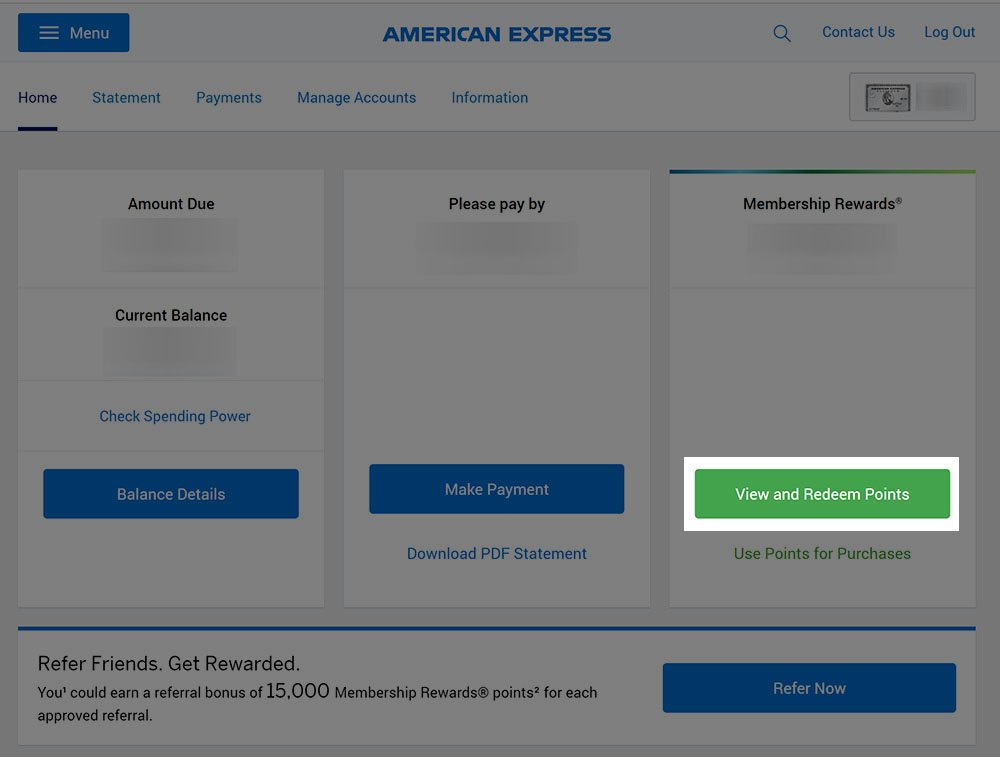
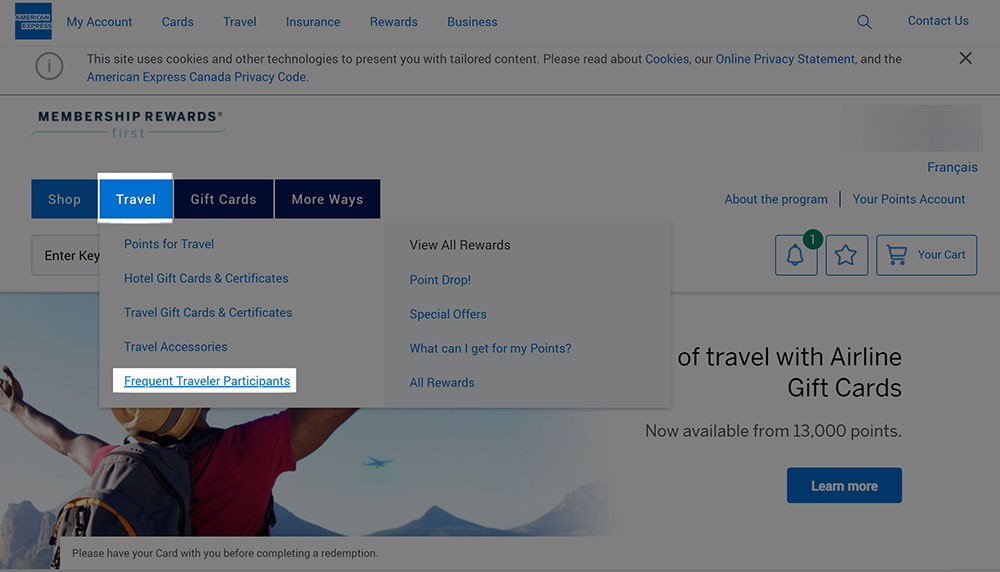
Click on the “Travel” navigation tab > Frequent Traveler Participants
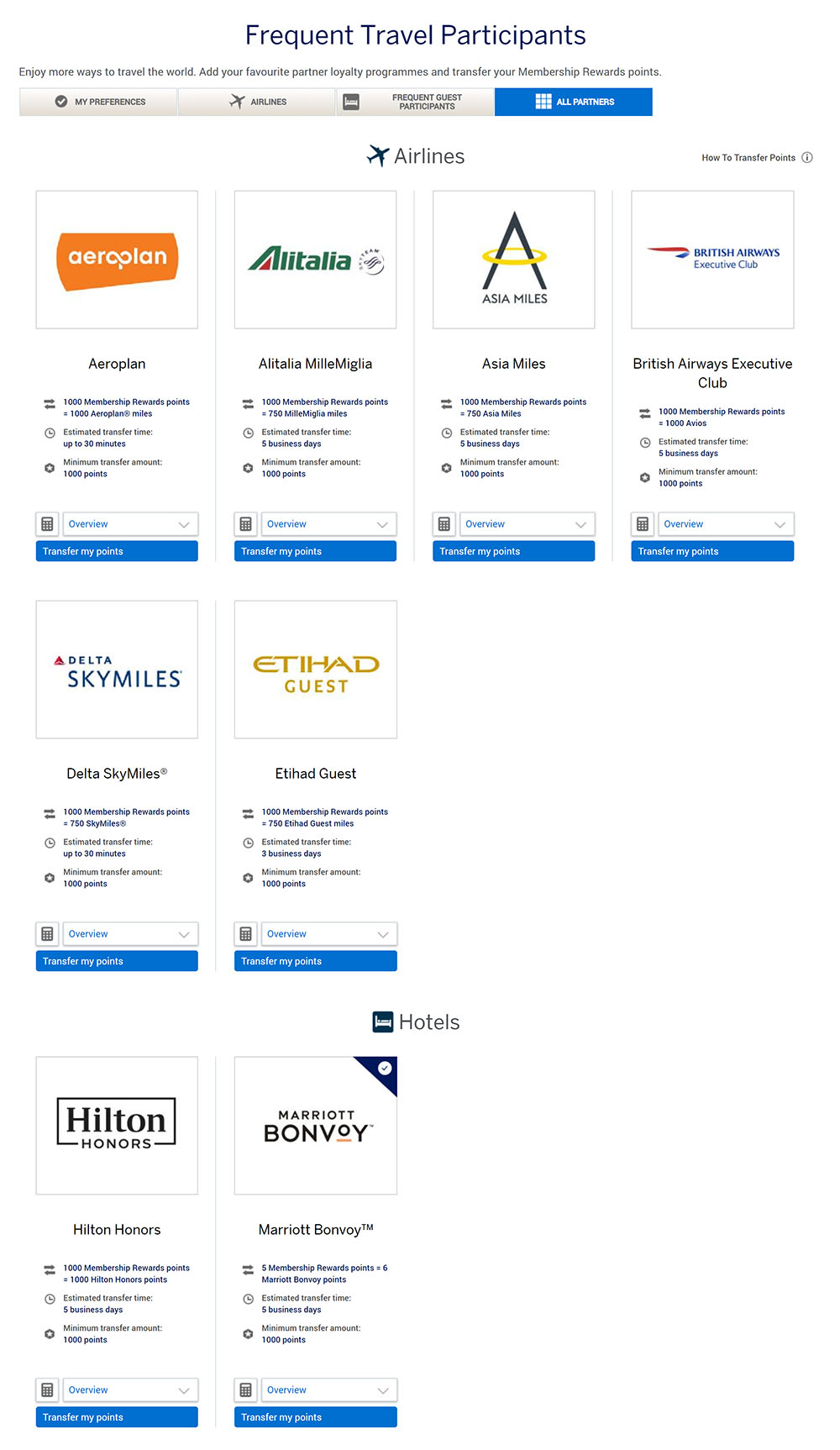
You’ll see a list of loyalty programs you can transfer your Amex Membership Rewards points to. Click on The British Airways Club.
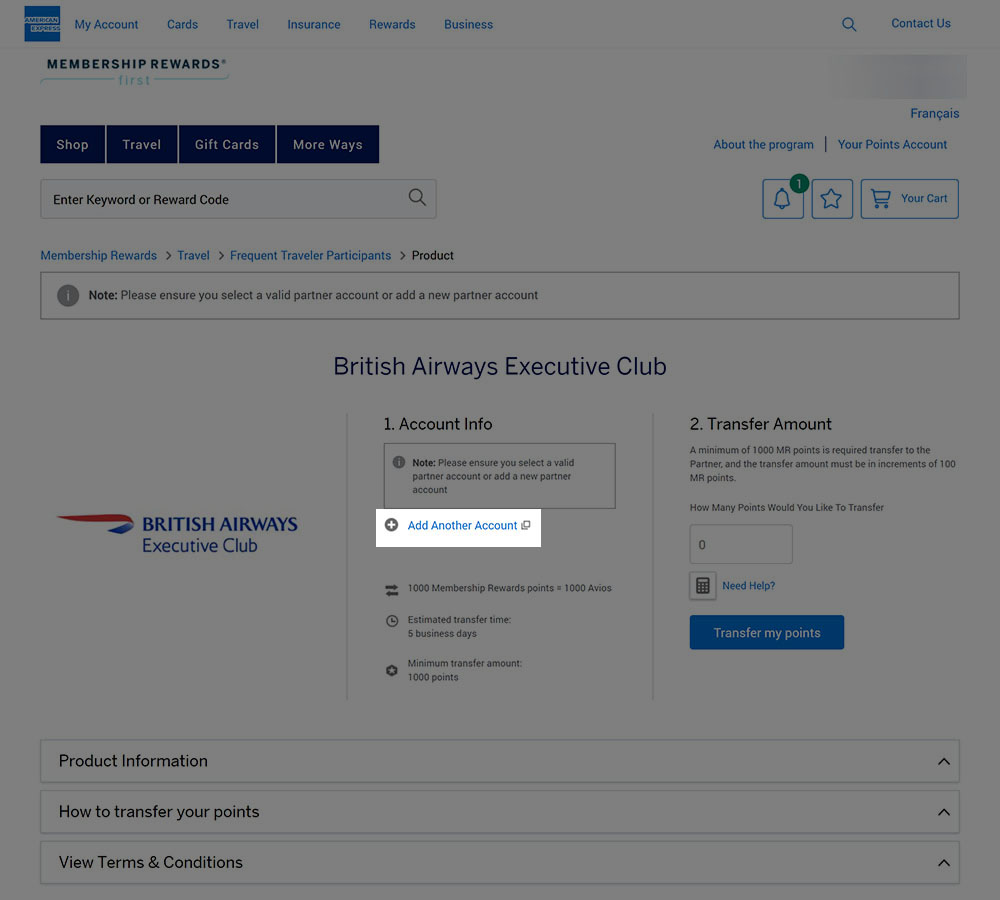
Under “Account Info” click “Add Another Account”.
On the page titled “Enter Your Existing Partner Loyalty Program Account Details”, add your British Airways Club membership number, and billing address details. Remember, the British Airways Club account you’re trying to link must match your name as the primary Amex Cardholder. Your billing details should also be the same.
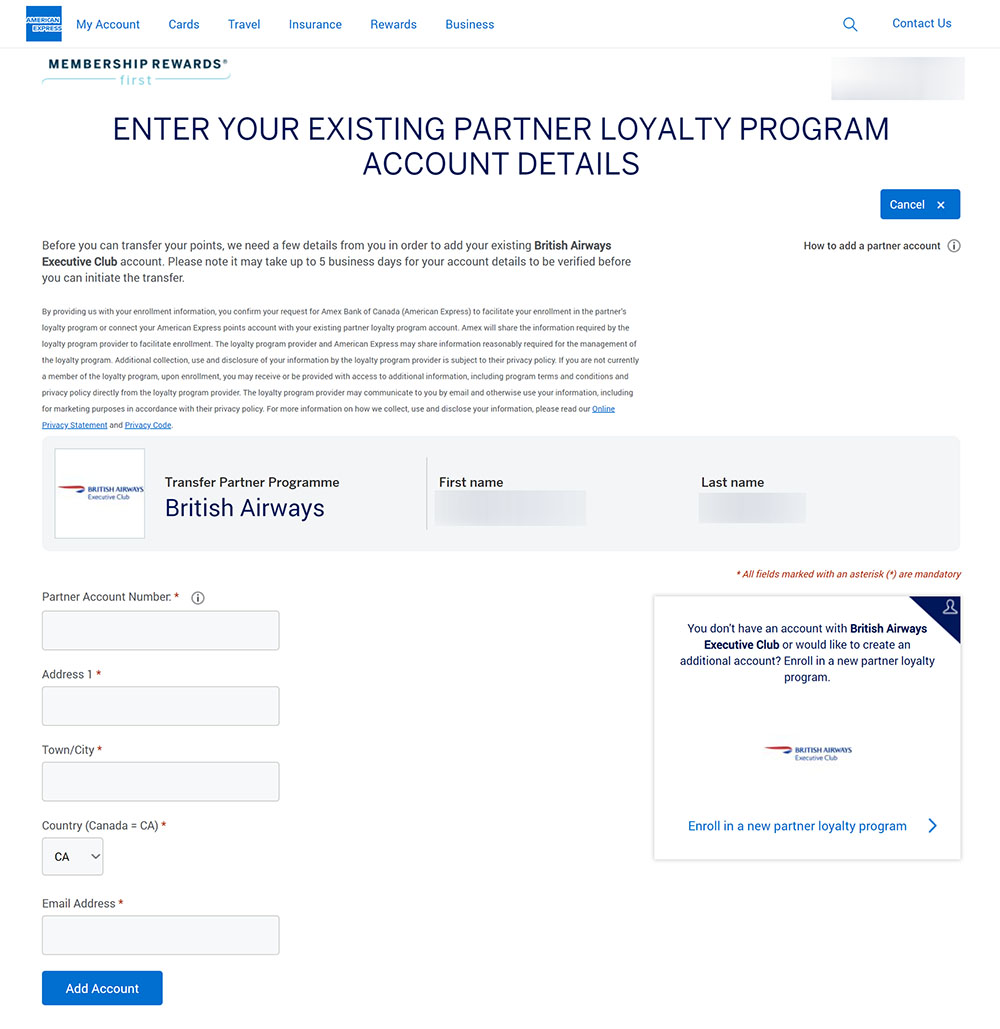
Amex notes that verification of a newly linked partner account may take up to five business days, so it’s worth linking your British Airways Club account before you need to make a time-sensitive transfer.
Step 3: Confirm Reward Availability with British Airways Club
Before transferring, confirm reward availability with British Airways. Membership Rewards transfers to third-party loyalty programs are final and cannot be reversed.
Amex currently lists the estimated transfer time to The British Airways Club as up to 30 minutes, although its general Membership Rewards FAQ still advises that non-Aeroplan and non-Delta transfers may take up to five business days.
If this is your first transfer, link your British Airways Club account to Amex ahead of time, since verification of a newly linked partner account may also take up to five business days.
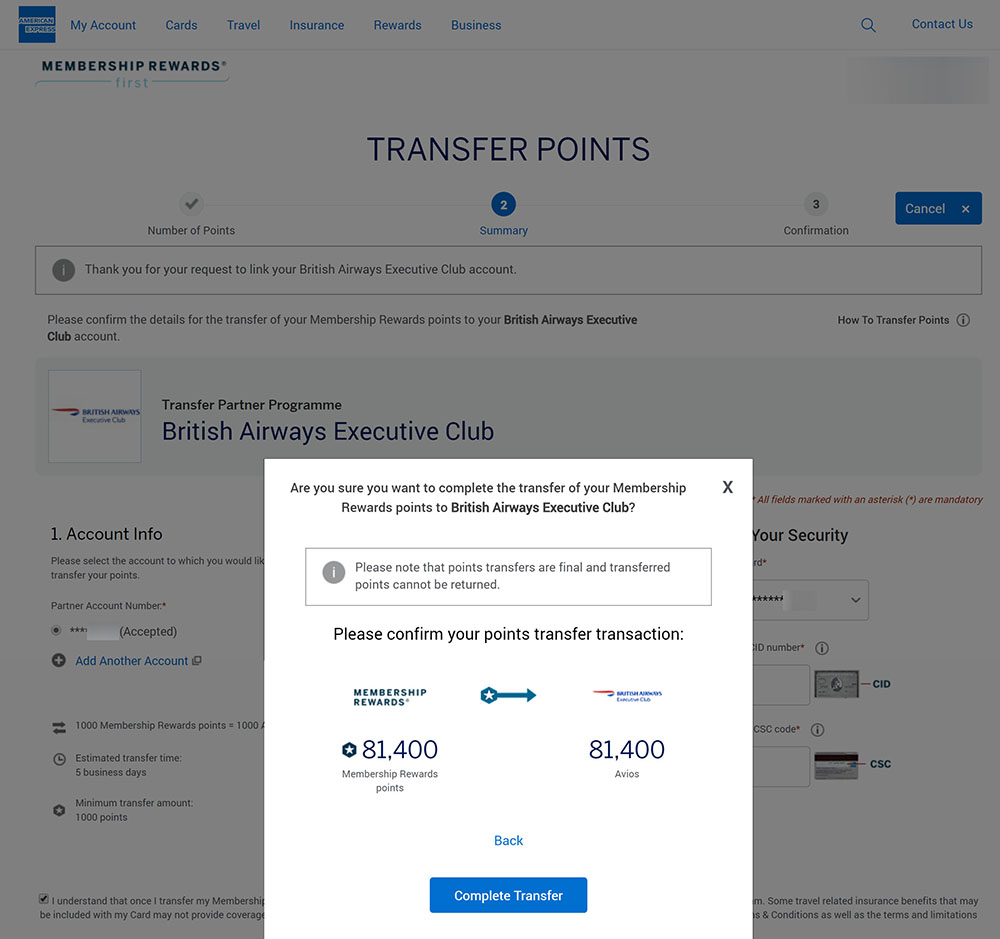
Step 4: Transfer Your American Express Points to British Airways Club
Enter the amount of Membership Rewards points you want to transfer. British Airways transfers at a 1:1 ratio, so 1,000 Membership Rewards points convert to 1,000 Avios. Review the conversion carefully before continuing. American Express advises having your Card with you before completing a redemption.
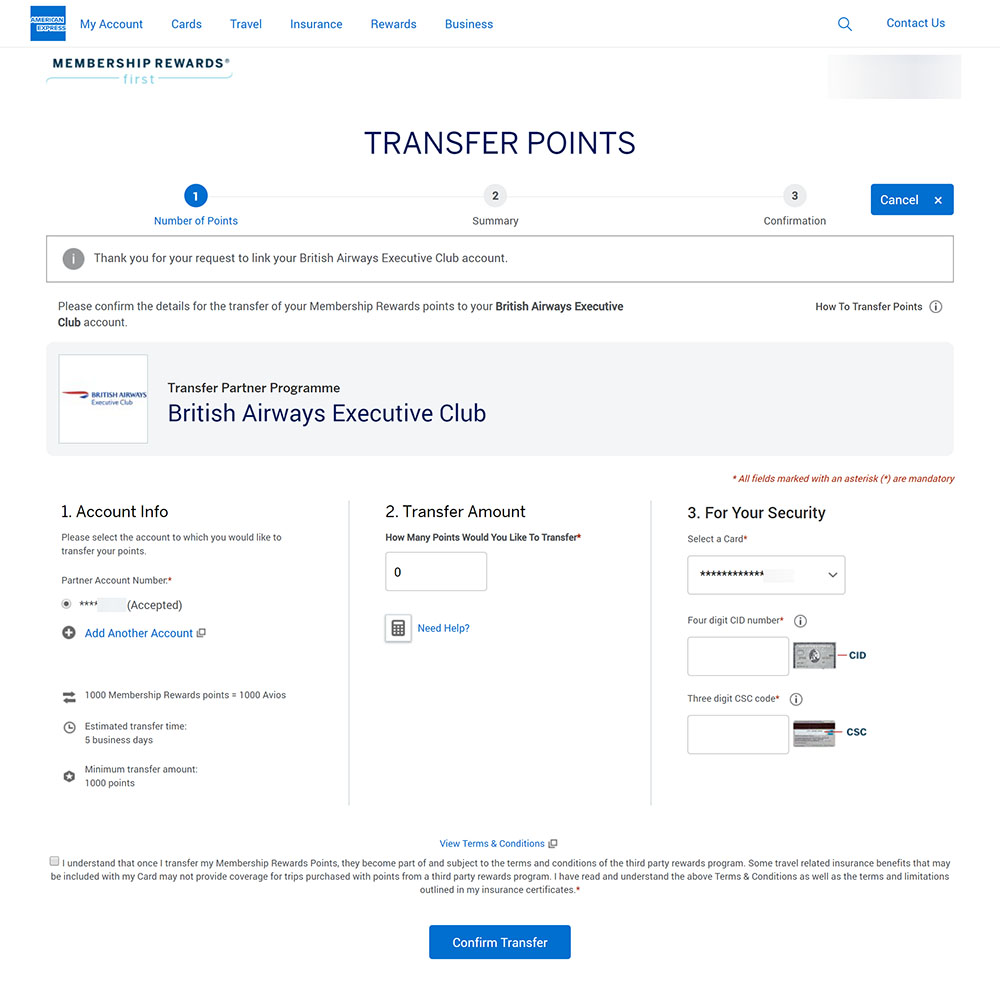
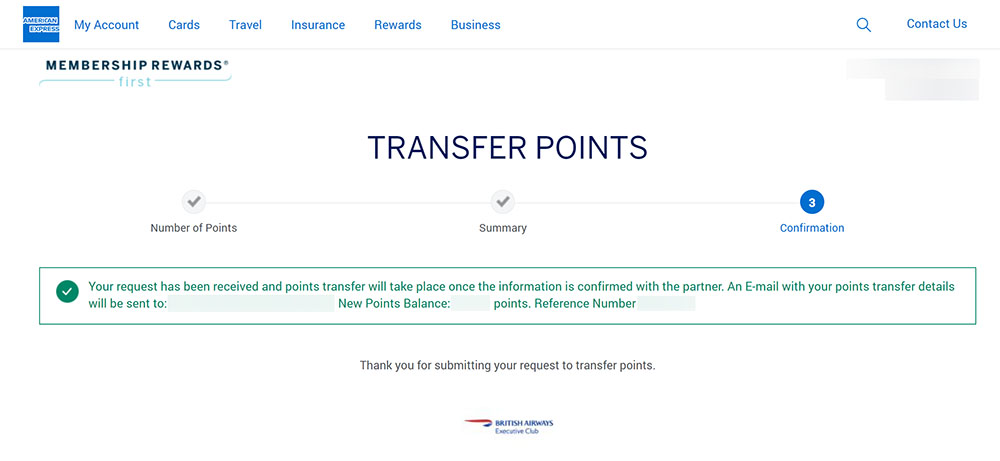
Review your information carefully before submitting the transfer. Amex states that all point transfers are final and transferred points cannot be returned. Confirm your request by clicking “Transfer my points.” Once the Avios appear in your British Airways Club account, you can proceed with your booking.